01 · Routing
Instant pipe build
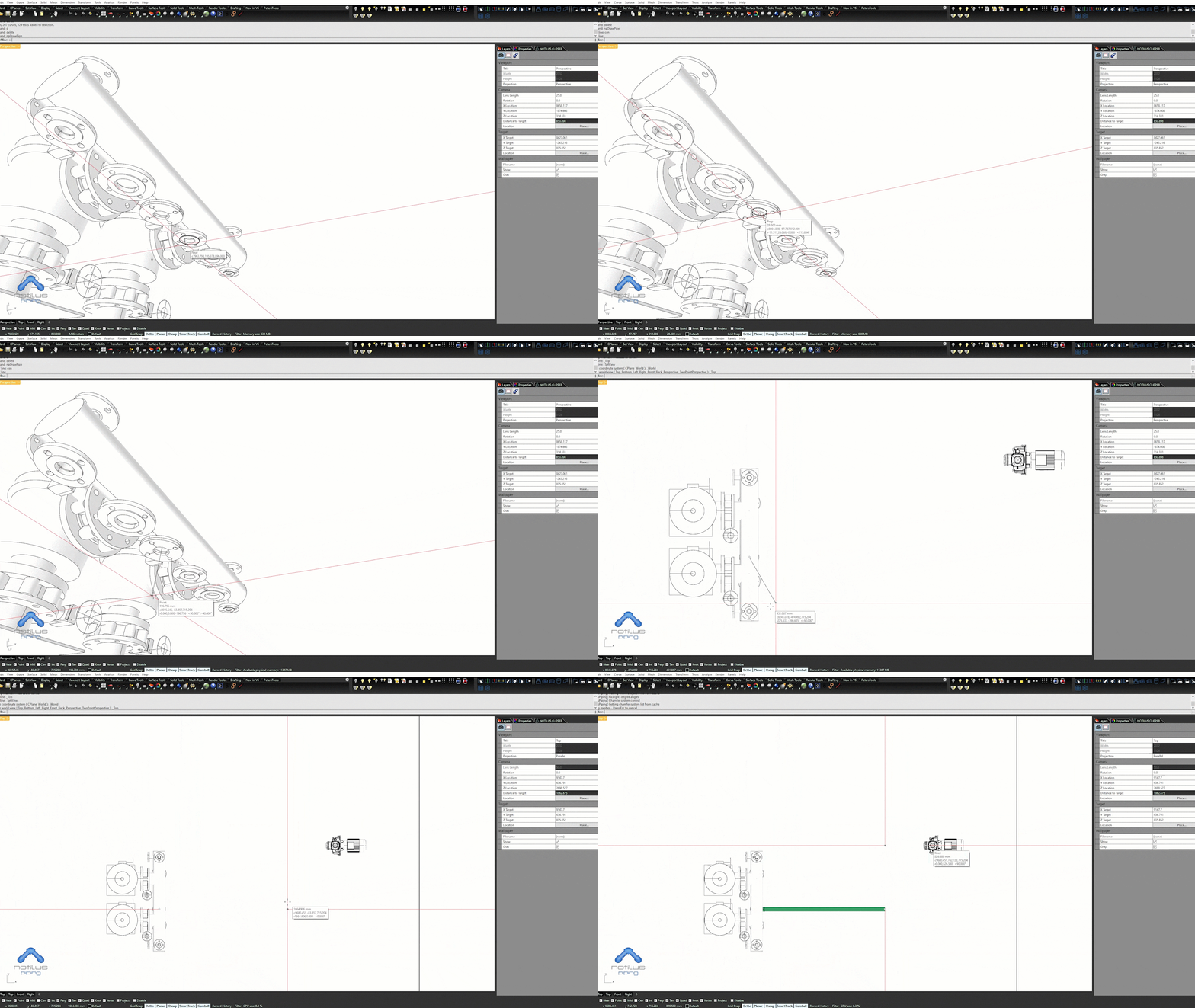
Pipes are generated with elbows and segments along any selected polyline — route first, dimension later.
From instant pipe routing to 3D dimensioning — pictured here as it runs natively inside Rhinoceros.
Pipes are generated with elbows and segments along any selected polyline — route first, dimension later.
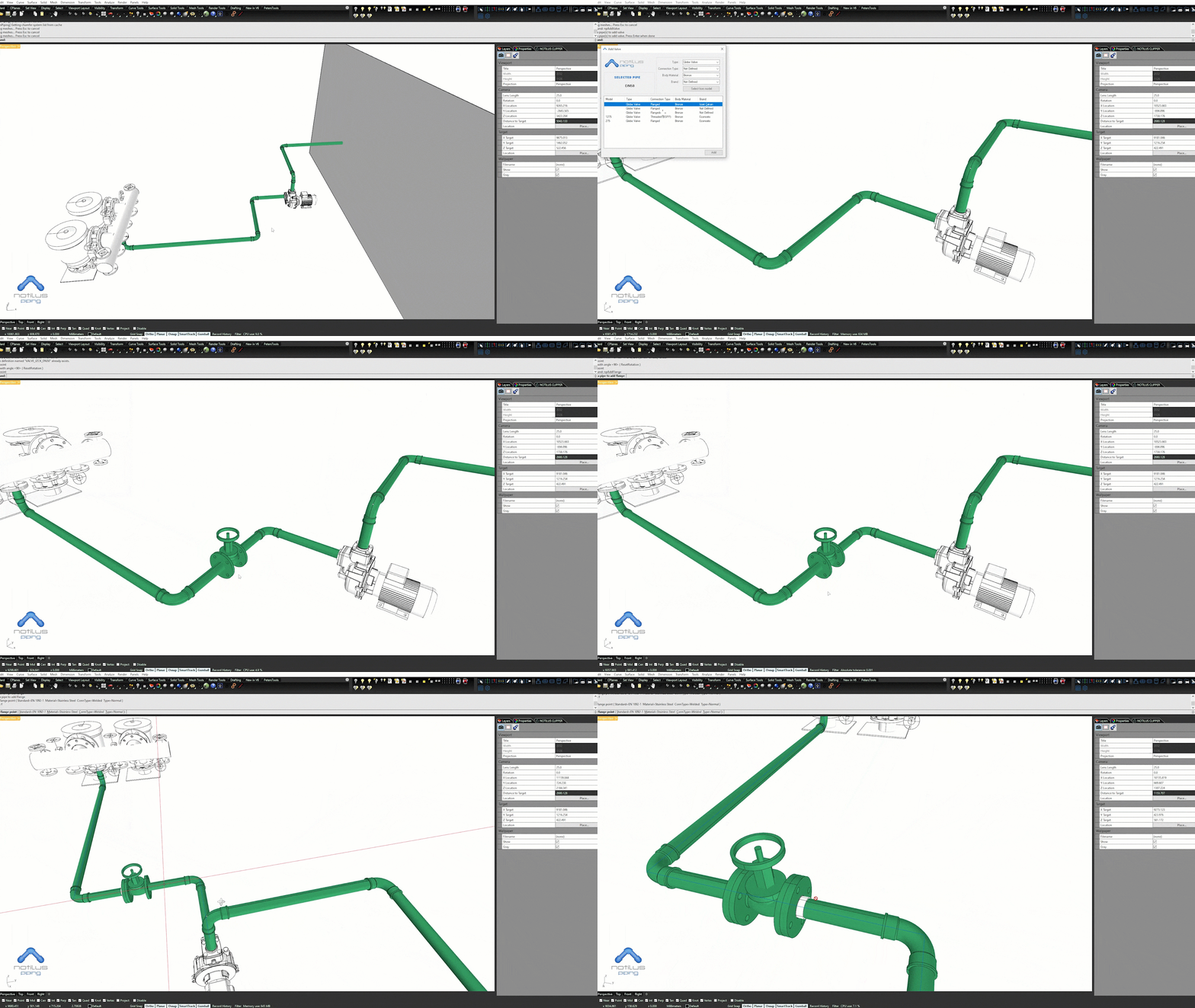
Drop valves, flanges, reducers and fittings on any selected pipe — they snap to the pipe's diameter and spec automatically.
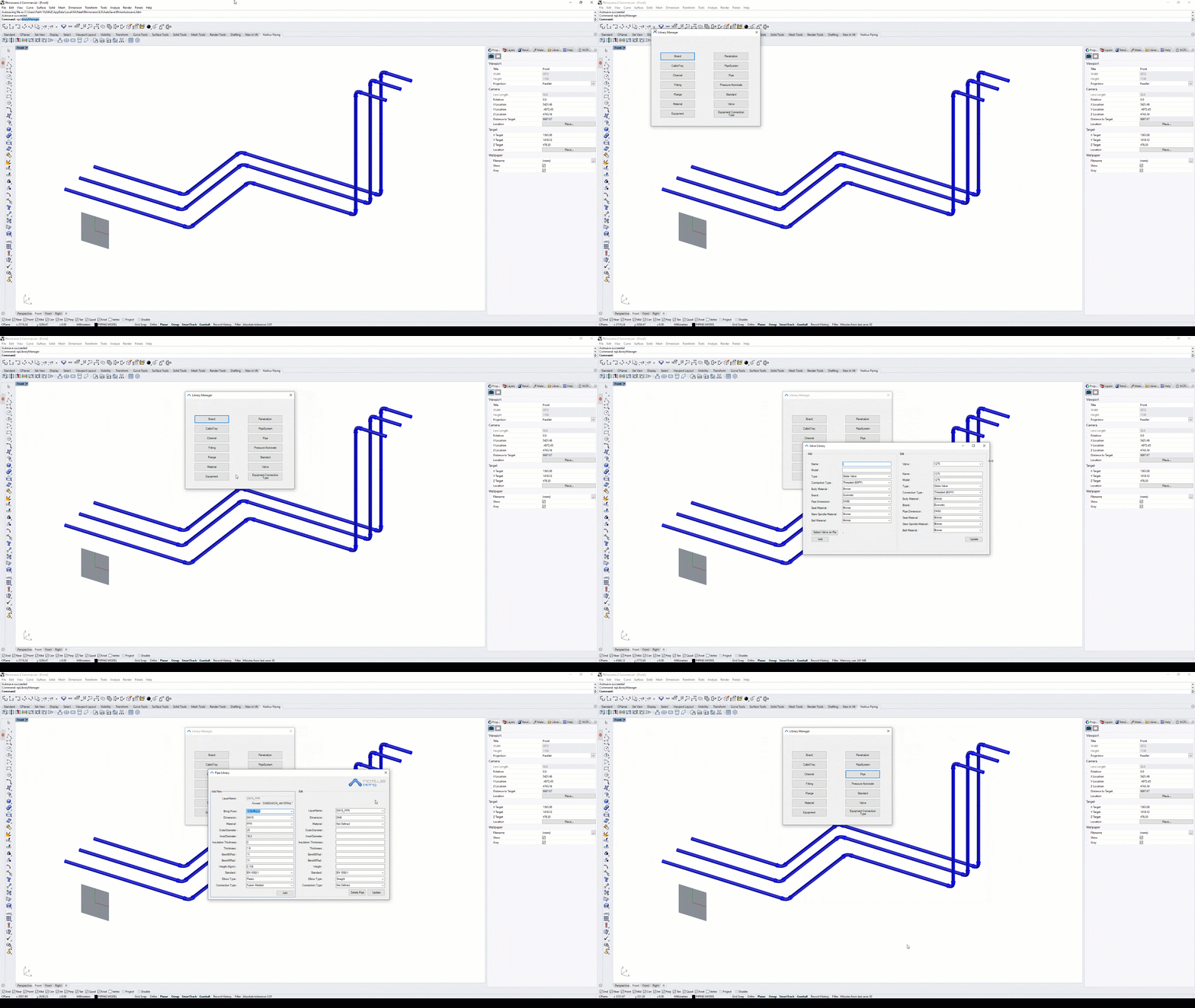
Yards and design offices can build their own libraries for pipes, penetrations, valves and fittings — re-used across every project.
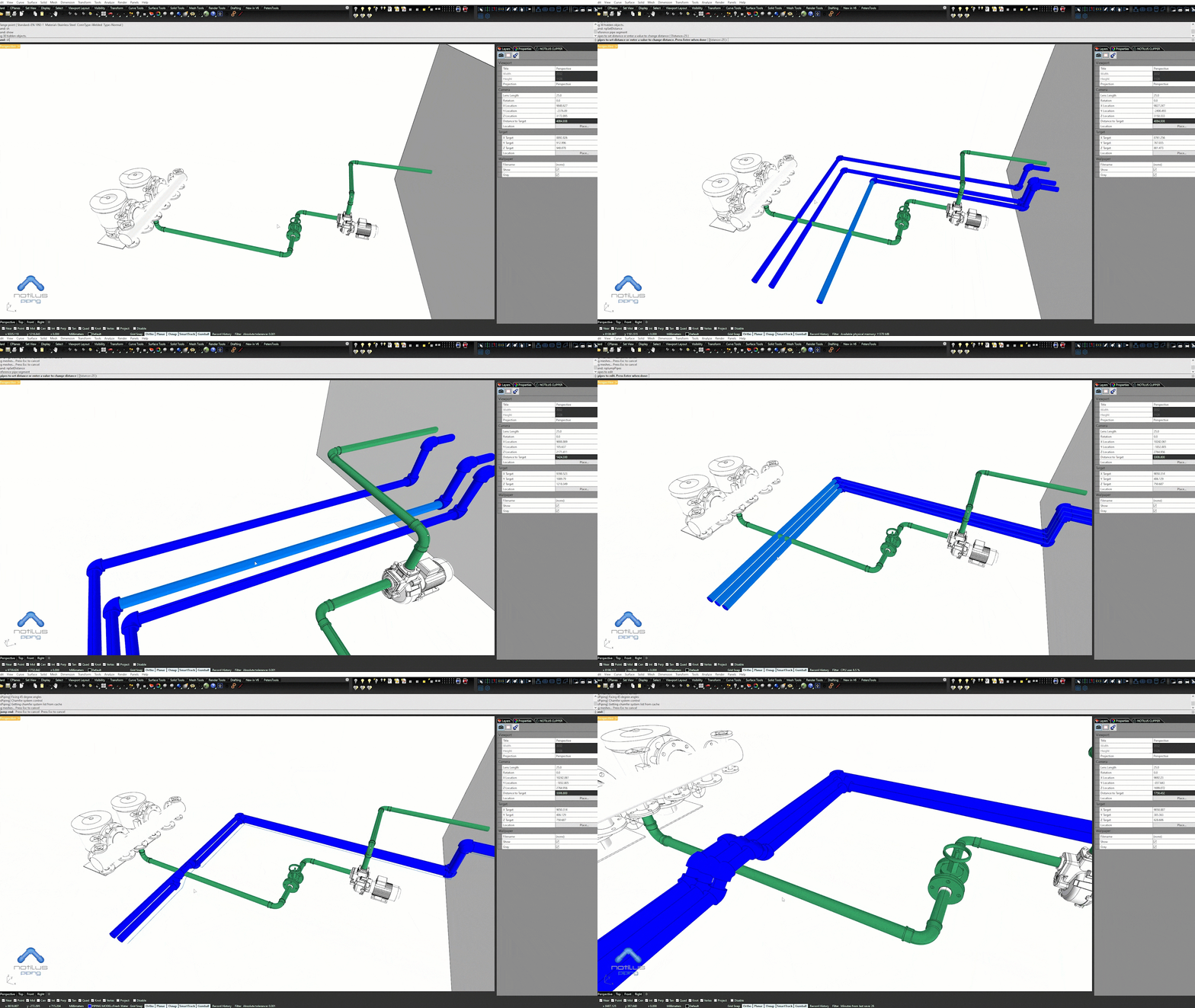
Speed up modelling with rapid editing commands such as jump, setdistance, multisplit and more — long routes stay manageable.
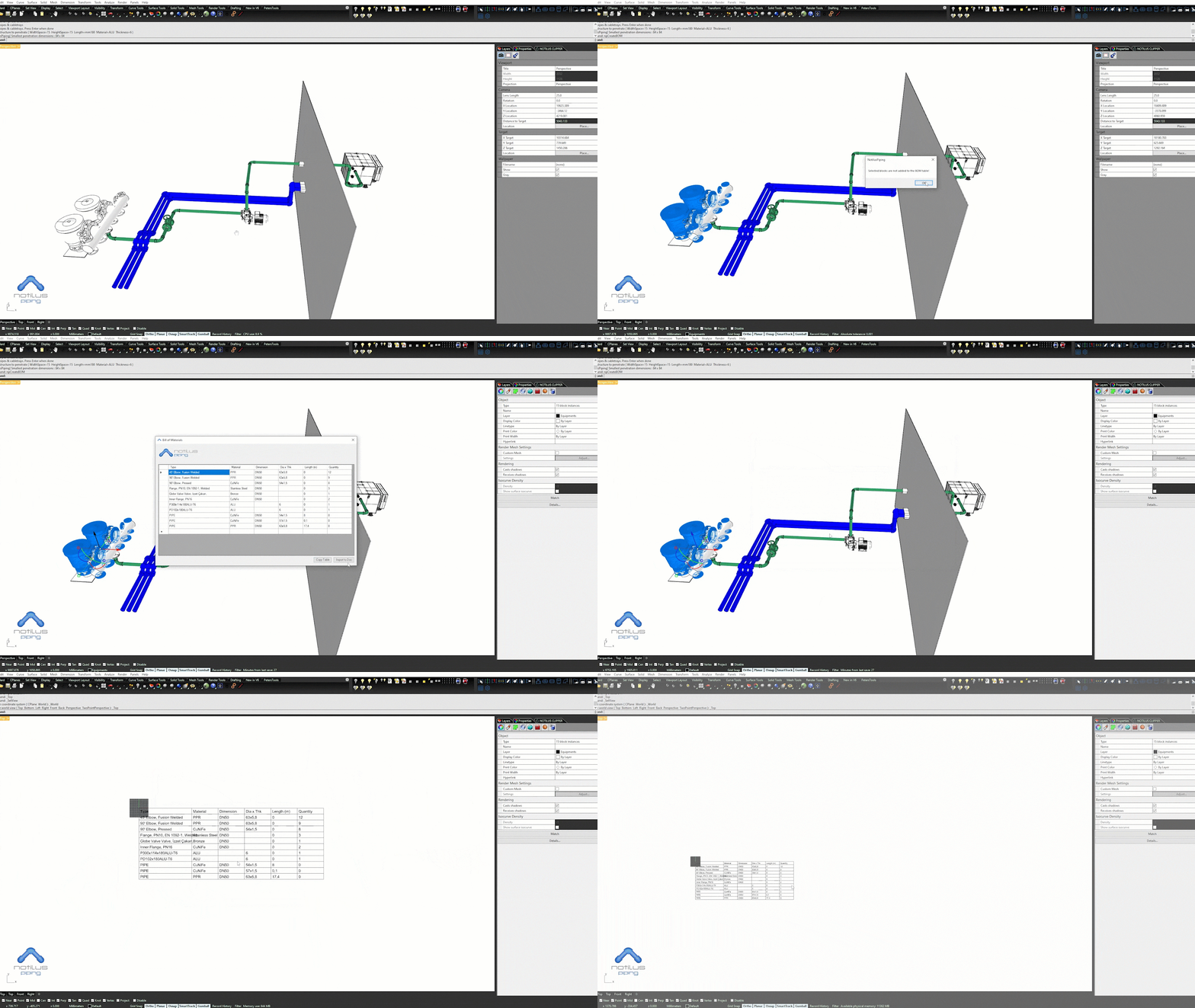
Every pipe and component is listed with its properties in a BOM table that updates as the design evolves.
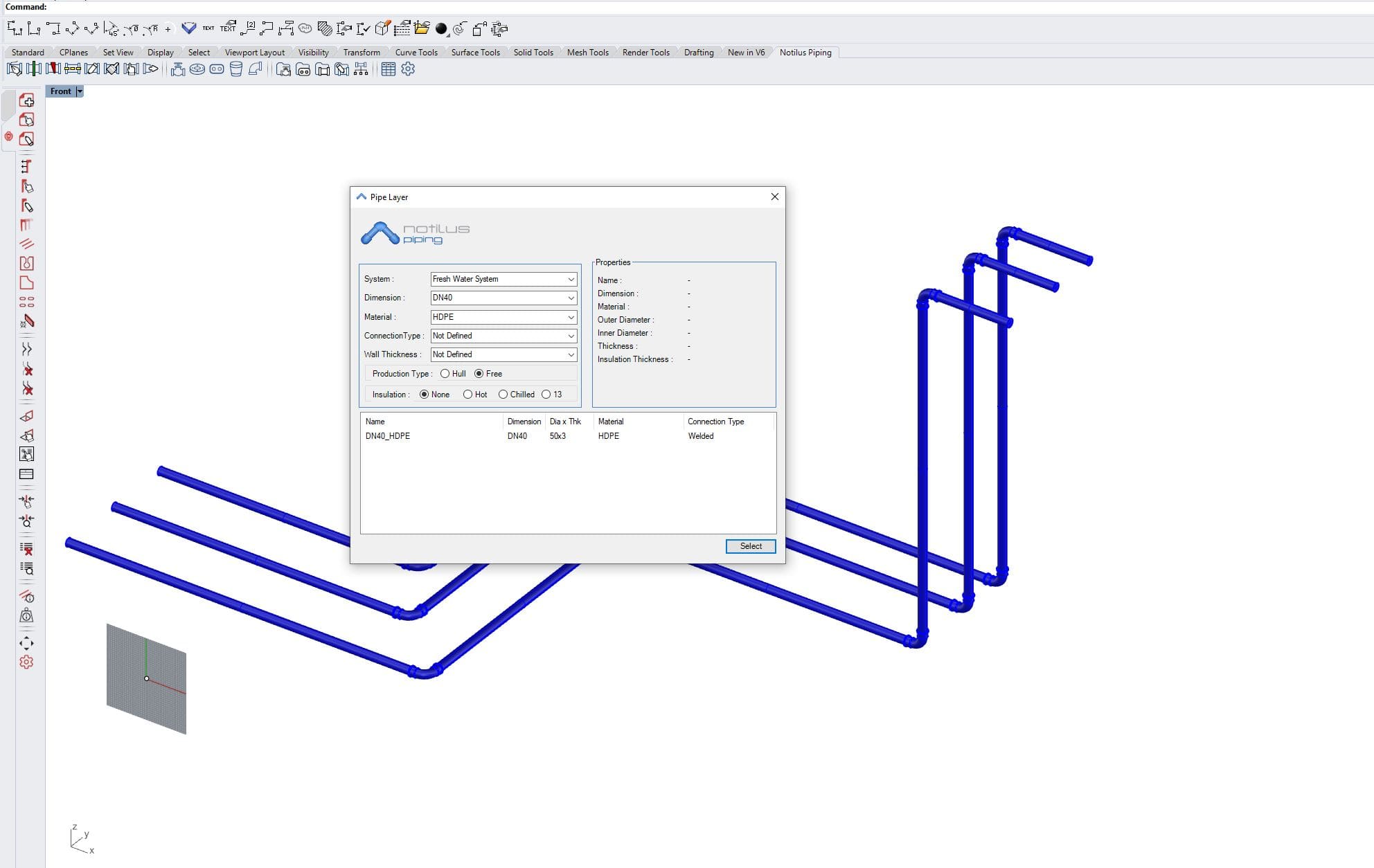
A short, consistent command set lets you model accurately and rapidly without learning a parallel application.
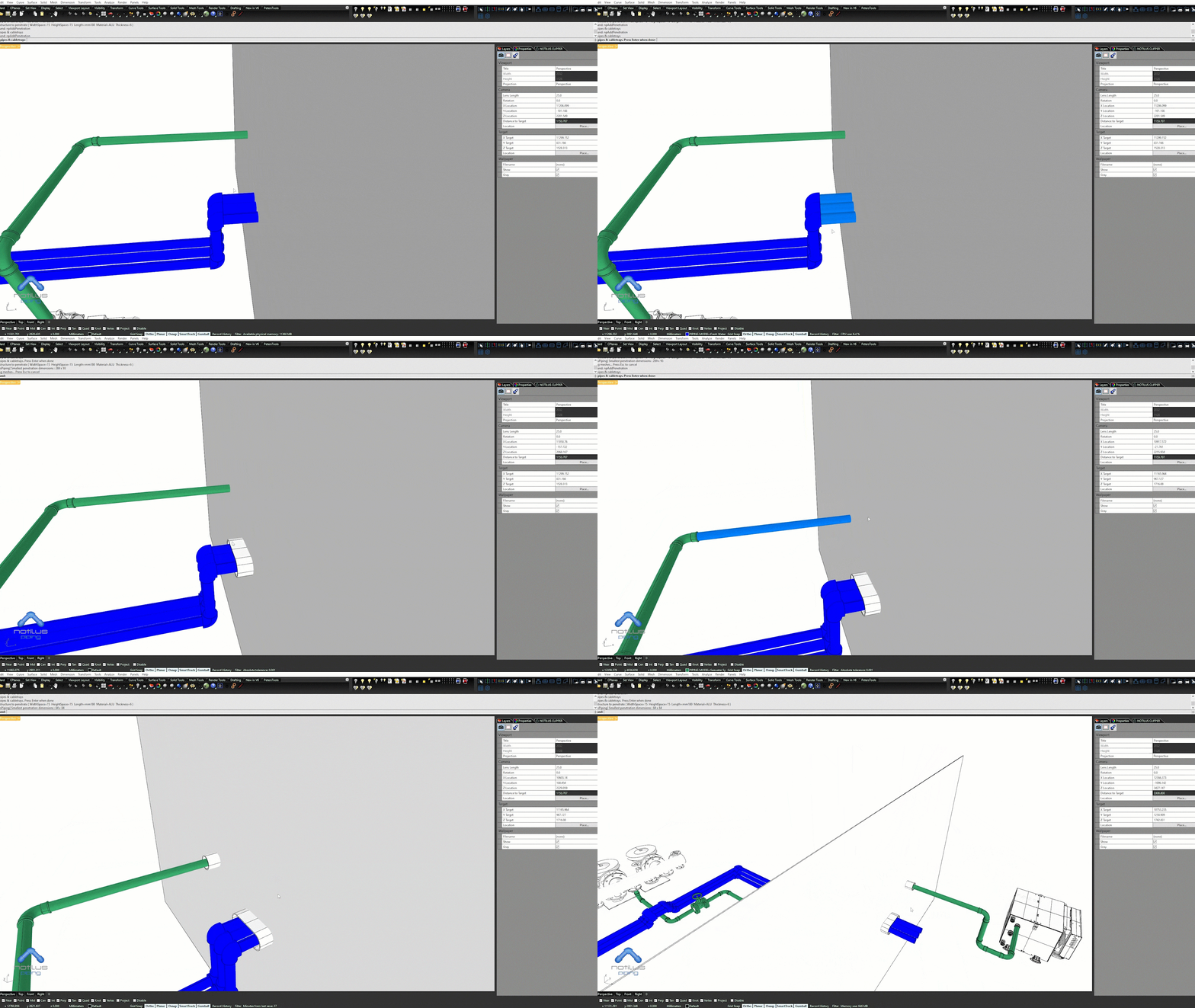
Penetrations are placed automatically against the selected pipes and the surrounding structure — no manual cut-outs.
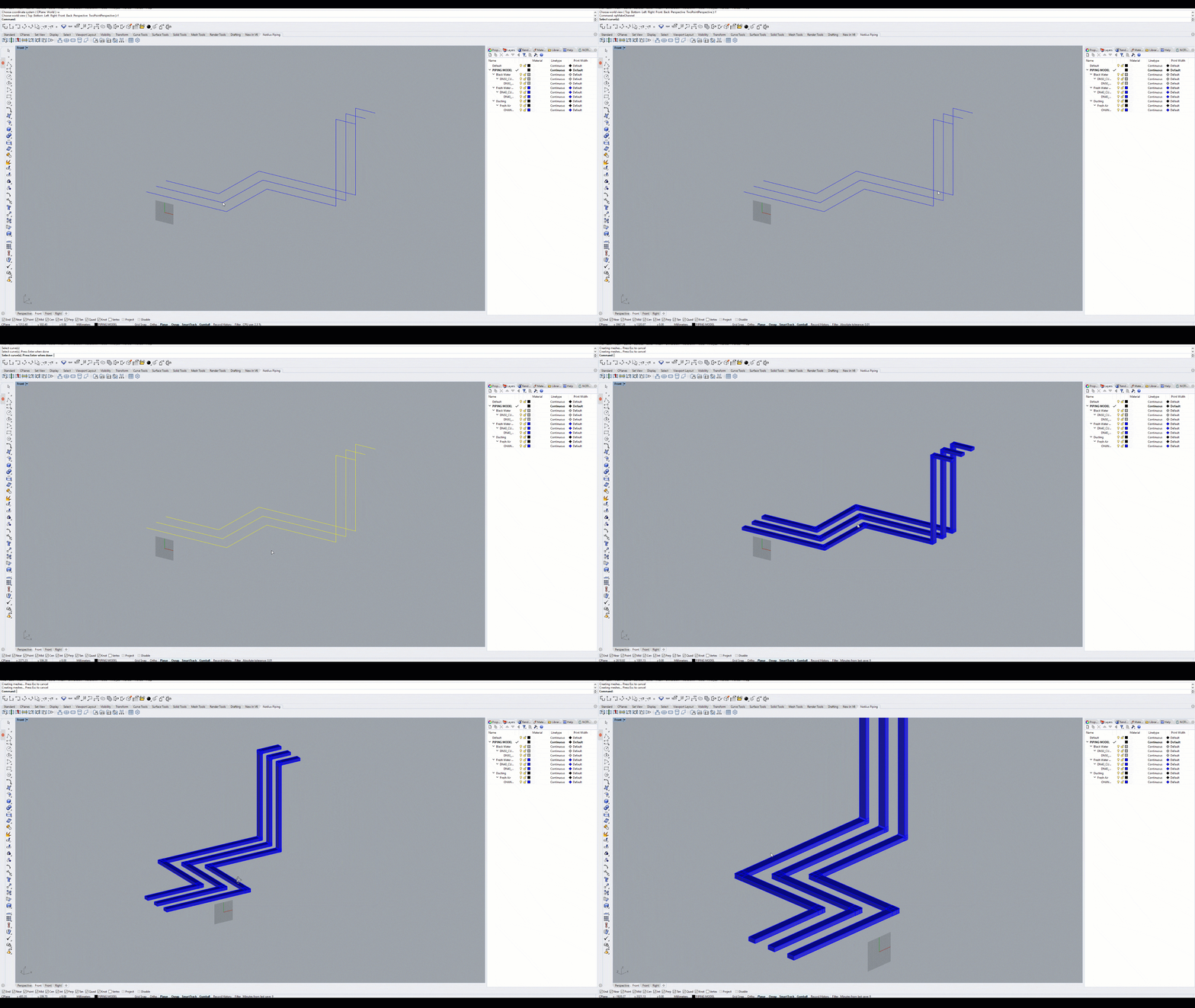
HVAC channels share the same routing engine — model duct, elbows, segments and insulation in the same workflow.
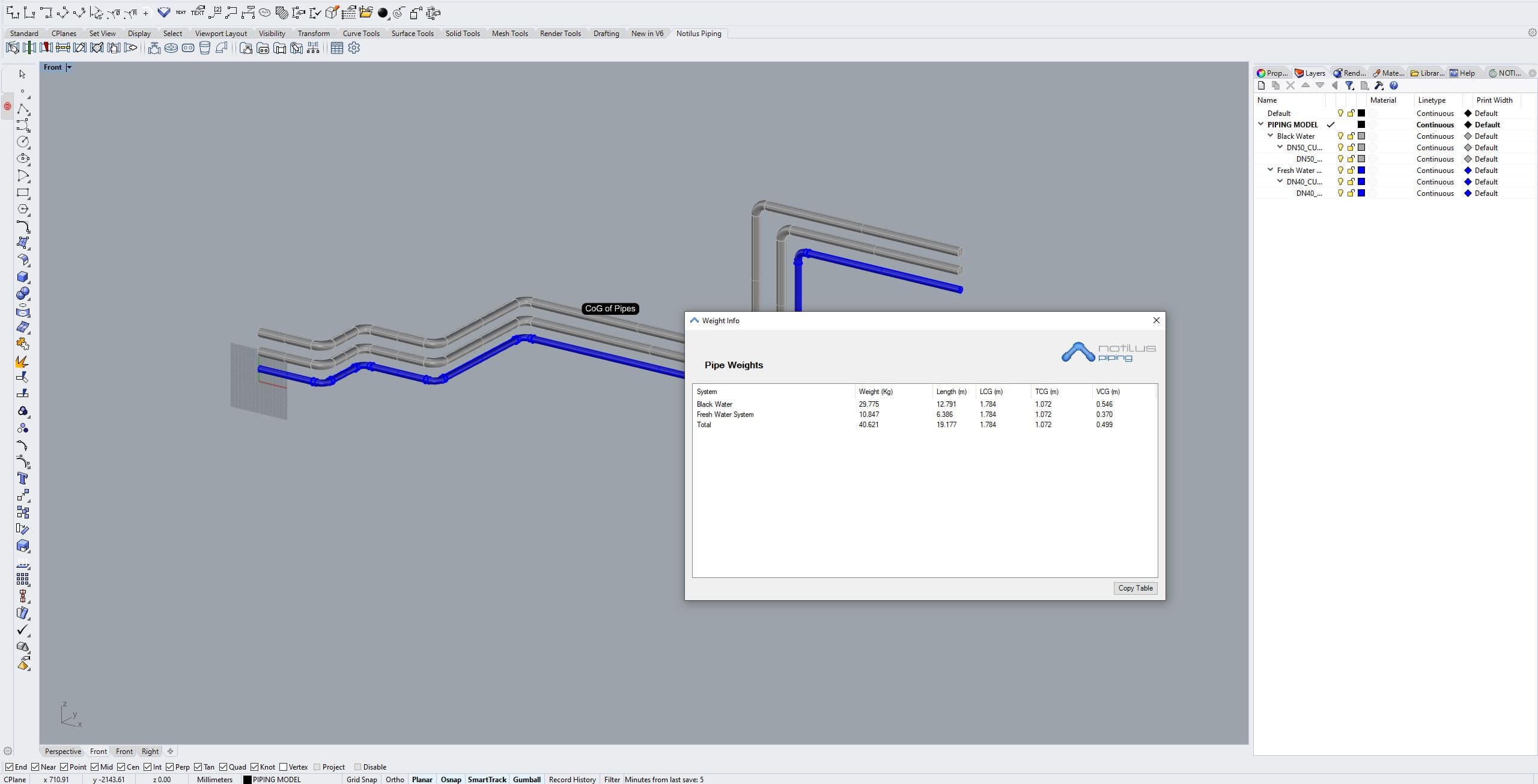
Compute weight and centre-of-gravity for both pipes and the fluids they carry, broken down by system.
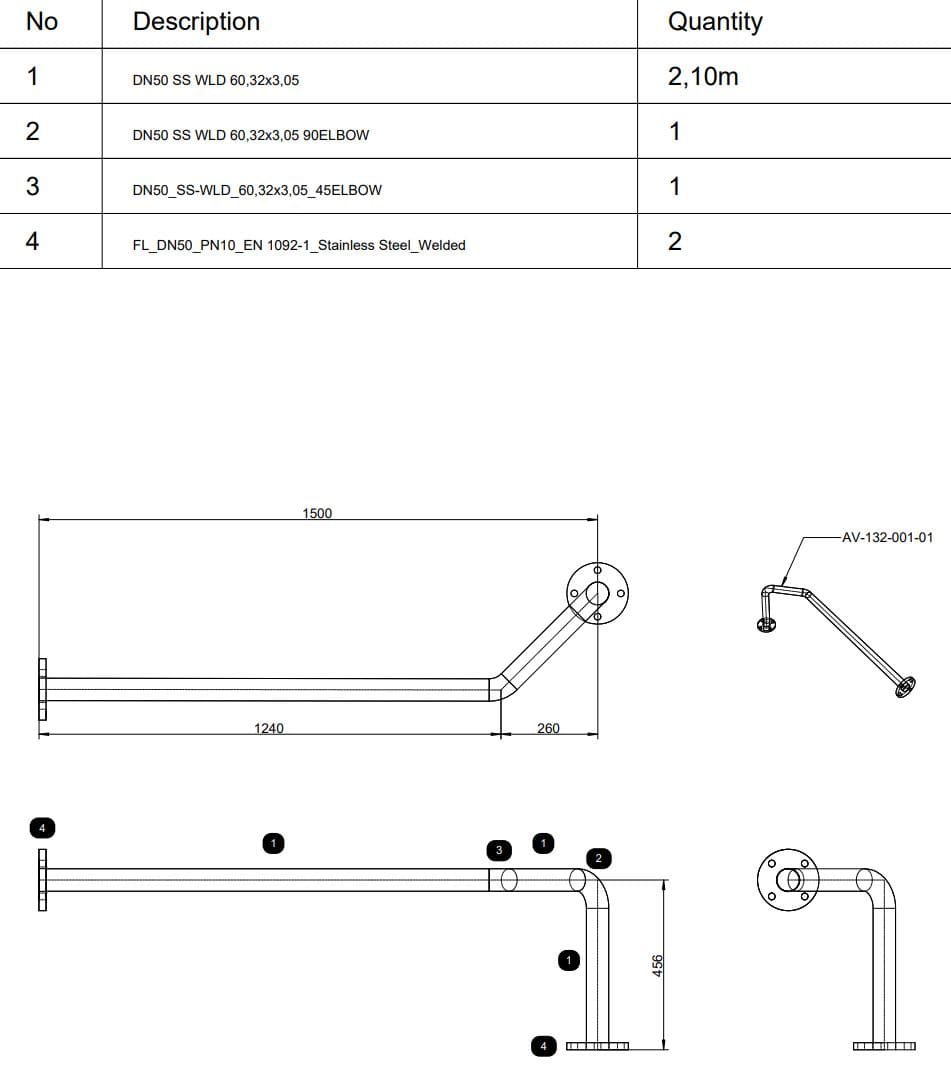
Spool layouts with dimensions and component list are produced in one step — ready for fabrication.
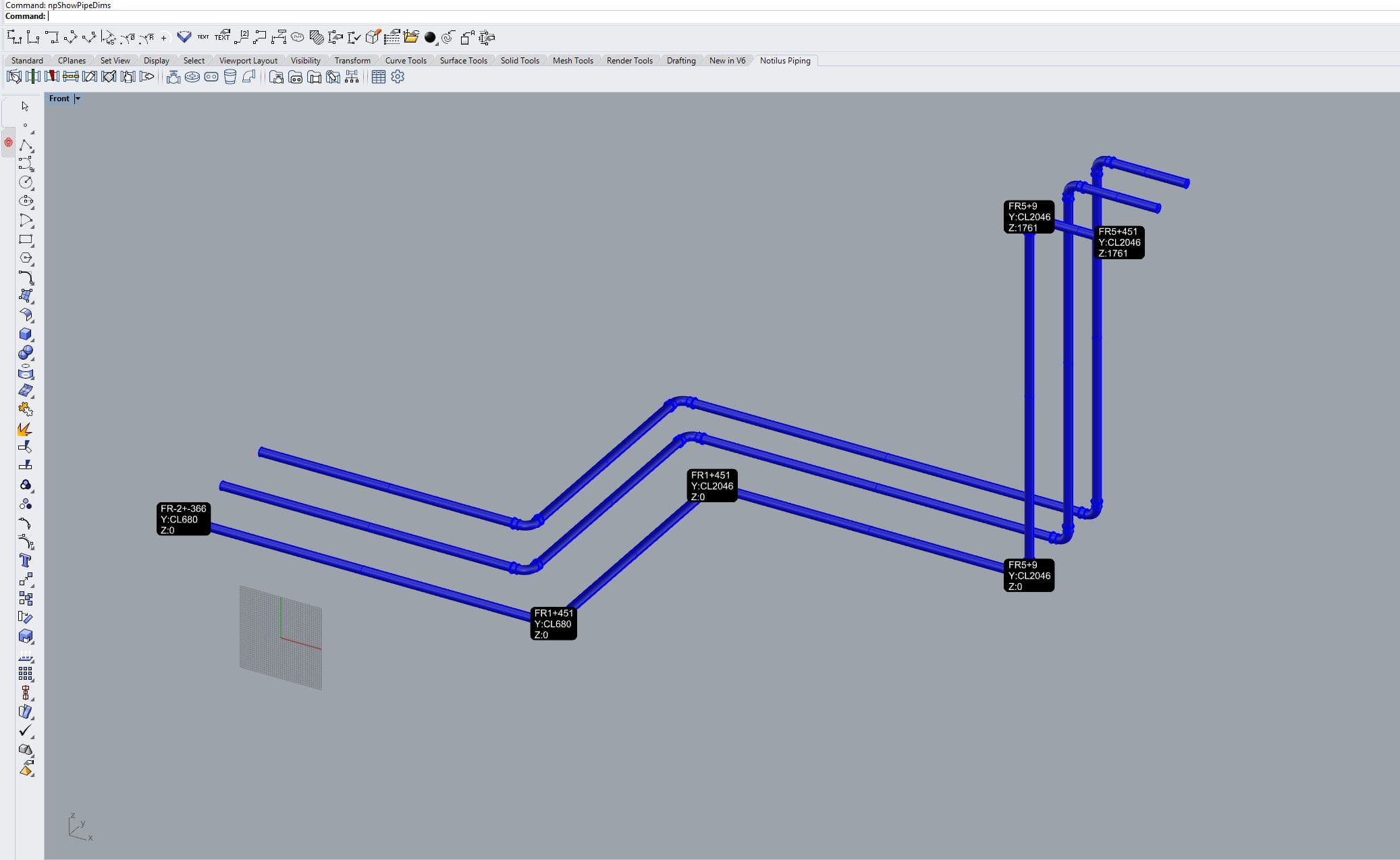
Show both relative and absolute pipe and elbow positions directly on the 3D model — no separate drawing pass.
Full 3D piping routed against engine and tank layouts, with live BOM.
Fuel, ballast and bilge systems modelled with valves, flanges and penetrations.
HVAC channels and insulation drawn alongside the piping systems on the same Rhino model.
Draw a polyline — Piping builds pipes with elbows and segments along it.
Drop components from your library — they snap to the pipe's spec.
BOM, weight and centre-of-gravity update as the model evolves.
Spool layouts and 3D dimensioning — straight out to the fabrication shop.
A 15-day evaluation license is issued by the engineering team. Tell us about the vessel and the plug-ins you'd like to try — we reply within one working day.
Notilus Piping is part of an end-to-end marine engineering toolset. These plug-ins sit either side of the piping workflow — from structure to schematic to drawings.
Steel structure that the piping is routed through — penetrations snap to its plates and profiles.
Schematic side of the piping design — share component data and tag numbers with the 3D model.
Production drawings, sections and dimensioning straight off the piping model.